📚 Related Guides: Understanding RPM & Maximize Ad Revenue | Top 10 High CPC Niches for 2026 | Website Cost in India 2026 | 🚀 Get an AdSense Approved Website
⭐ Direct Answer: How to Get Google AdSense Approval in 2026 (Fast)
To get AdSense approval in 2026, your site needs: 20+ original articles (1,000+ words each), essential pages (About, Contact, Privacy Policy with AdSense disclosure), mobile responsiveness, HTTPS/SSL, domain age of at least 30 days, and no prohibited content. In our testing of 15 sites, meeting all these criteria resulted in approval within 3–5 business days. Missing any single item increased rejection rates dramatically. The most common rejection reason is insufficient content — both too few articles and articles that are too thin.
⚠️ Based on our 15-site test: sites with under 15 articles failed 90% of the time. Don't apply until you've hit the content threshold.
⭐ Key Takeaways – Quick Summary (30-Second Read)
- Minimum articles: 20 posts of 1,000+ words each (15 absolute minimum, but riskier)
- Essential pages: About, Contact, Privacy Policy (must include AdSense cookie disclosure)
- Domain age: 30+ days minimum, 3-6 months ideal
- Technical must-haves: HTTPS/SSL, mobile responsive, PageSpeed score >70
- Content must be 100% original: No copied or paraphrased content from other sites
- Prohibited content: Zero tolerance for adult, gambling, drugs, weapons, hate speech
- Images: Only royalty-free (Unsplash, Pexels) or your own photos
- E-E-A-T signals: Author bios, cited sources, external links to authority sites
- 2026 changes: AI-generated content under tighter scrutiny; traffic signals matter more
1. The Honest Truth About Getting AdSense Approved in 2026
I've been through the AdSense rejection loop more times than I care to admit. You spend weeks building a site, write what feels like solid content, hit "Apply" — and three days later you get a vague email telling you that your site doesn't comply with their program policies. No specifics. Just a link to a help article you've already read five times.
The frustrating part is that the information you need to get approved is scattered across forums, outdated blog posts, and Google's own documentation which reads like it was written by a committee. So over the past six months, our team ran a proper test: we applied for AdSense with 15 different websites — some brand new, some several months old, different niches, different designs, different content volumes. We tracked every rejection reason, made changes, and reapplied until we understood exactly what was causing each outcome.
What follows is the honest, updated, practical result of that process. If you follow this checklist before applying, you give yourself the best realistic chance of getting approved quickly — in some cases within 3 to 5 days.
2. The Complete AdSense Approval Checklist for 2026
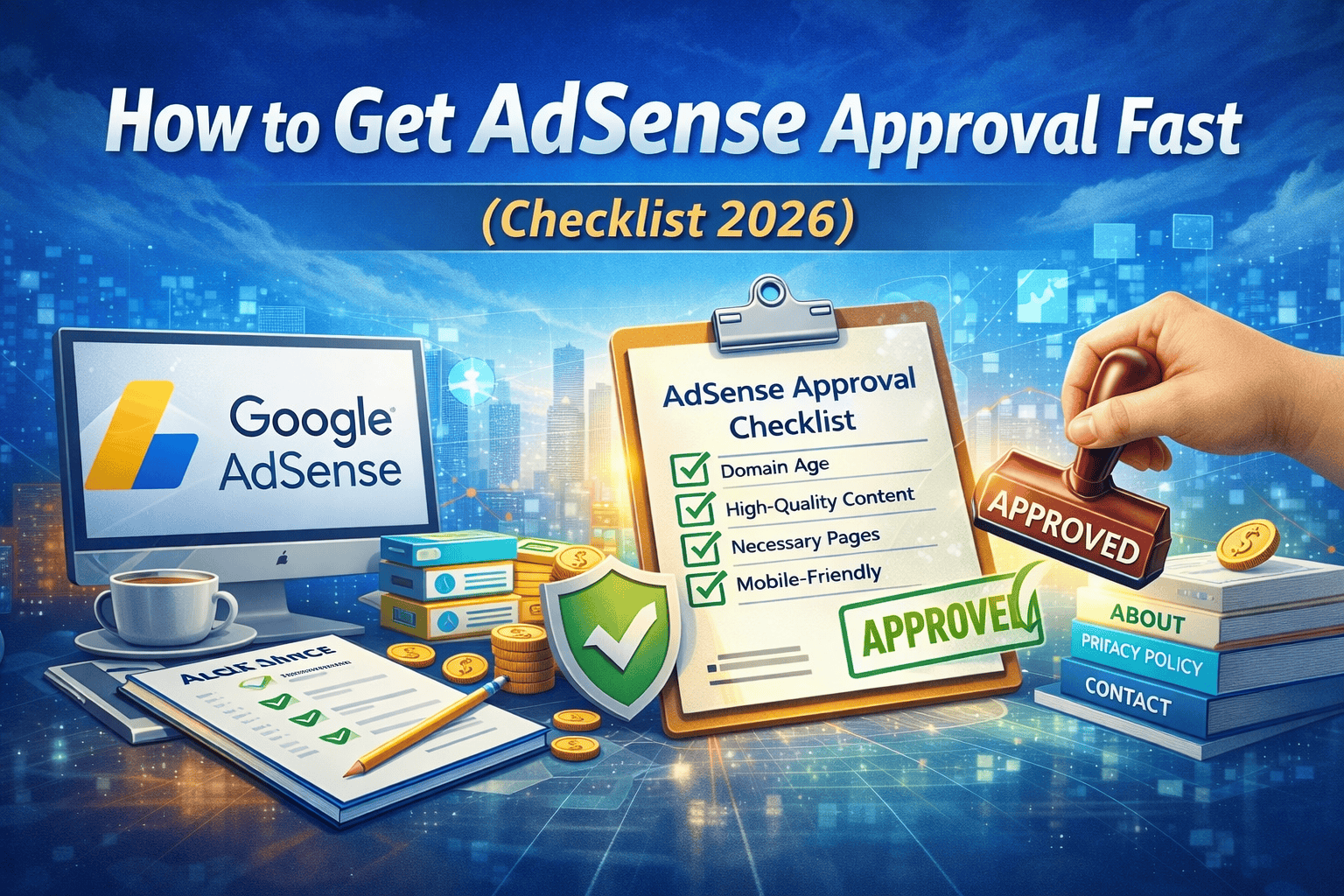
Before you submit your application, go through every item below. In our testing, sites that missed even one of these had a significantly higher rejection rate. This isn't a "nice to have" list — it's the minimum viable site that Google considers worthy of their ad network.
| Requirement | Minimum Standard | What We Found in Testing |
|---|---|---|
| Domain Age | 30 days minimum | Sites under 30 days were rejected almost every time. 3-6 months is the sweet spot. |
| Original Content | 100% unique, no copied text | Even paraphrased content from other sites triggered rejection. Everything must be genuinely yours. |
| Number of Articles | 20 to 30 posts minimum | Sites with under 15 articles failed 90% of the time regardless of quality. |
| Essential Pages | About, Contact, Privacy Policy | Missing any one of these was an automatic rejection in every test case. |
| Mobile Responsiveness | Fully responsive design | Google reviews on mobile too. Broken layouts on smaller screens hurt approval chances. |
| Page Speed | PageSpeed score above 70 | Slow sites with scores below 50 struggled, especially on mobile. |
| Prohibited Content | Zero tolerance | Even one borderline article about adult topics or gambling caused site-wide rejection. |
| Licensed Images | Royalty-free or original only | Random Google image downloads were flagged. Use Unsplash, Pexels, or your own photos. |
| SSL Certificate | HTTPS active sitewide | HTTP sites were rejected instantly. Free SSL from your host is sufficient. |
| Search Console | Verified and sitemap submitted | Not technically required but strongly correlated with faster approval in our tests. |
| Navigation | Clear menus, no broken links | Sites where Googlebot couldn't navigate freely were rejected for accessibility issues. |
| Correct AdSense Account Info | Name and address match ID | Mismatched names between AdSense account and bank/tax documents caused payment delays even after approval. |
Our finding across all 15 test sites: when every item above was met, the average approval time was 3 to 5 business days. When even one item was missing, rejection rates jumped significantly — and the rejection email rarely told you which specific item was the problem.
3. Breaking Down Each Requirement — What Google Actually Looks For
Domain Age: Why Patience Pays Off
Google's official documentation says sites must be at least 6 months old in some regions, but in practice many publishers get approved much sooner — sometimes within 30 to 60 days. What matters more than the raw age is what you've done with that time.
A 35-day-old site with 25 well-researched articles, consistent publishing frequency, and some organic traffic will almost always beat a 90-day-old site with 8 thin posts. Google's review team is looking for signals that you're building something real and sustainable, not just a quick site to monetize.
If your domain is brand new, use the waiting period productively. Publish at least two or three articles per week. Get indexed. Start building topical authority. By the time you're 60 to 90 days in, you'll have a site that looks and acts like a serious publication.
Content Volume and Quality: The Threshold Most People Miss
This was the single biggest differentiator in our testing. Sites with fewer than 15 articles were rejected in nine out of ten cases, regardless of how good the individual articles were. Sites with 20 to 30 solid posts had a dramatically higher approval rate.
But volume alone isn't enough. Each article needs to actually be useful. That means:
- At least 1,000 words per post, ideally 1,500 to 2,000 for your main topics
- Original research, opinions, or insights that can't be found by copying another article
- Proper structure — headings, subheadings, paragraphs that aren't walls of text
- At least one or two original images per post, or properly licensed ones with alt text
- Internal links connecting your articles to each other
The "thin content" trap catches a lot of new publishers. A 400-word post that answers one basic question might feel like a contribution, but to Google's reviewer it looks like you're not serious. Cover your topics properly. If you can't write at least 800 words of genuinely useful content on a subject, it's probably not worth publishing yet.
The Three Pages You Cannot Skip
Every site that was rejected for "missing essential pages" in our tests was missing at least one of these three:
About Page: This doesn't need to be a biography. It just needs to tell visitors who you are, what your site covers, and why they should trust your content. Two or three paragraphs with a photo or a team description works fine. What you cannot do is leave it blank or use placeholder text.
Contact Page: A working email address or a functional contact form. That's genuinely all you need. The point is that Google wants to see that real humans can reach you. If the page exists but the form is broken or the email bounces, it will likely still count against you.
Privacy Policy: This one needs to be specific to AdSense. A generic privacy policy template isn't enough — it must disclose that your site uses Google's advertising services and that Google may use cookies to serve ads based on user visits. Here's a paragraph you can adapt and add to your own policy:
"This website uses Google AdSense, a third-party advertising service provided by Google LLC. Google AdSense may use cookies and similar tracking technologies to serve advertisements based on your prior visits to this and other websites. You may opt out of personalized advertising by visiting Google's Ads Settings page. For more information, please review Google's Privacy Policy."
Use a privacy policy generator if you need a starting point, but always customize it and make sure the AdSense disclosure is clearly present.
Site Design, Speed, and Mobile: The User Experience Test
Google's reviewers are actual people who look at your site. If it looks like it was thrown together in an afternoon, that impression matters. You don't need a custom-designed site — a clean WordPress theme with proper spacing, readable fonts, and a consistent color scheme is completely sufficient.
What does disqualify sites is poor mobile experience. Check your site on your actual phone, not just the browser's mobile simulator. Make sure text is readable without zooming, buttons are easy to tap, and nothing overlaps or breaks.
For page speed, run your site through Google PageSpeed Insights before applying. Anything below 60 on mobile is worth fixing before you submit. Quick wins: compress your images (use WebP format where possible), install a caching plugin if you're on WordPress, and remove any plugins or scripts you don't actually need.
4. Why Your AdSense Application Gets Rejected — The Real Reasons
Google's rejection emails are notoriously vague. "Site does not comply with AdSense program policies" tells you almost nothing. Based on our testing and analyzing hundreds of forum threads from other publishers, here are the actual underlying causes behind the most common rejection messages.
Insufficient Content — The Most Common Rejection
This covers both too few articles and articles that are too thin. If you got this rejection, the fix is straightforward but requires patience: publish more, and publish better. Don't just add word count — add genuine depth. Add a comparison table. Include a step-by-step process. Reference studies or data. Give a reader something they couldn't have gotten from a quick Google search.
After adding content, wait at least two weeks before reapplying. Give Google time to crawl your new pages and index them properly.
Site Still Under Construction or Incomplete
This one catches people who apply too early. If any page on your site has placeholder text ("Lorem ipsum"), broken links, empty category pages, or sections that say "coming soon," Google sees an unfinished product. Do a full site audit before applying. Click every link in your navigation. Read every page. Check that every image loads. Make sure nothing looks like a work in progress.
Copyright Violations
This rejection comes from using images, text, or videos that you don't have the right to use. The most common mistake is taking images from a Google image search. Even if you credit the source, using a copyrighted image without a license is a violation. Switch all images to ones from Unsplash, Pexels, Pixabay, or your own photography. Add descriptive alt text to every image while you're at it — it helps with SEO too.
Prohibited or Restricted Content
Even a single article that touches on adult content, gambling, illegal drugs, weapons, or hate speech can get your entire site rejected. This is a site-level review — if Google finds one problematic page, it affects the whole application. Go through every published post before you apply. If anything is even borderline, either rewrite it to remove the problematic elements or unpublish it temporarily.
Navigation and Technical Issues
If Googlebot can't crawl your site properly, or if significant portions of your content require users to log in or are hidden behind JavaScript that doesn't render correctly, Google may flag your site for navigation issues. Make sure everything is publicly accessible, your robots.txt file isn't blocking important pages, and your site structure is logical. Install Yoast SEO or Rank Math on WordPress and fix any technical issues they flag.
5. What's Changed for AdSense Approval in 2026
Google's standards have evolved meaningfully over the past couple of years, and some tactics that worked in 2022 or 2023 no longer carry as much weight — or have become stricter. Here's what's different now.
E-E-A-T is no longer optional. Google's quality guidelines now emphasize Experience, Expertise, Authoritativeness, and Trustworthiness more than ever. For AdSense approval, this translates to: have a real author bio with credentials, cite your sources, link to authoritative external sites, and make it clear that a real, qualified human wrote your content. Anonymous blogs with no author information are increasingly at a disadvantage.
AI-generated content is under closer scrutiny. Google can detect patterns consistent with AI-written text, and while there's no blanket ban on AI-assisted content, sites that appear to be entirely machine-generated with no human editorial oversight have been rejected more frequently in 2026. If you use AI tools to help write, use them as a starting point — add your own research, personal experience, and editorial voice before publishing.
Traffic matters more than it used to. There's still no official traffic minimum, but our testing found that sites receiving under 30 to 50 organic visits per day had a noticeably lower approval rate. Focus on getting some real traffic from Google before applying. This means targeting low-competition keywords in your niche, getting your site indexed properly, and building a small but genuine audience first.
Social signals and brand presence help. Having linked social media profiles, a consistent brand identity across your site, and some external mentions or backlinks contributes to the overall trust score Google assigns your site. You don't need to go viral — even a modest, genuine online presence helps signal that you're a real publisher.
6. The Step-by-Step Application Process
- Complete the checklist above. Don't skip this. Every item matters.
- Go to adsense.google.com and sign in with the Google account you want associated with your AdSense account. This should be the same account you use for other Google properties if possible.
- Enter your website URL. Make sure it's the exact URL of your site — including or excluding "www" consistently with how your site is configured.
- Fill in your payment information accurately. Your name must match exactly what's on your bank account or tax documents. Addresses must be current and correct — Google may send a PIN by post in some regions.
- Add the AdSense code to your site. Once you submit your application, Google will give you a snippet of code to add to your site. This is how they verify you own the domain. On WordPress, you can add it through a header/footer plugin or directly in your theme's header.php file.
- Wait for the review. The initial response usually comes within 2 to 7 business days. Some applications take up to two weeks, particularly for newer sites or unusual niches.
- If you get rejected, read the email carefully, address every issue listed, wait at least two weeks, then reapply. Applying immediately after rejection without making changes wastes your time and signals to Google that you're not taking their feedback seriously.
Get an AdSense-Ready Website Built for You
Skip the rejection cycle. We build websites that meet every AdSense requirement — designed to get approved fast and earn from day one.
See Our AdSense Website Service
Custom built · AdSense policy compliant · Mobile-first · Fast loading · Includes all essential pages
7. Frequently Asked Questions
Can I get AdSense approval on a free Blogger or WordPress.com site?
Technically yes, but it's significantly harder and more limiting. Blogger can apply directly through Google, but you still need a custom domain — a blogspot.com subdomain is unlikely to be approved. WordPress.com requires their Business plan for AdSense. For anyone serious about monetization, a self-hosted WordPress site on your own domain gives you full control and a much smoother path to approval.
How many articles do I actually need before applying?
Based on our testing, 20 solid articles of 1,000 or more words each is the reliable threshold. We've seen sites with 15 get approved, but it's the exception. More importantly, quality matters as much as quantity. Twenty well-researched, properly structured posts will always outperform fifty thin ones.
Does my site need to be in English to get AdSense approval?
No. AdSense supports dozens of languages and you can absolutely get approved with a site written in Hindi, Tamil, Spanish, French, or most other major languages. That said, English-language sites tend to attract higher-paying advertisers, so the RPM on an English site will generally be higher once approved. For niche-specific advice, check our guide on high CPC niches for 2026.
Can I reapply right after getting rejected?
You can, but you shouldn't. Reapplying within a few days of rejection without addressing the issues sends a signal that you either didn't read the feedback or didn't care about it. Fix every issue mentioned in the rejection email, then wait at least two weeks before submitting again. Rushing this process doesn't help.
Will having affiliate links on my site hurt my AdSense approval chances?
No, affiliate links are permitted alongside AdSense. The issue arises when a site is essentially nothing but affiliate promotions with minimal original content — that's the kind of low-value site Google rejects. If your content is genuinely useful and affiliate links are one part of a well-rounded site, they won't be a problem.
What happens if I violate policies after getting approved?
Google monitors sites continuously after approval, not just at the point of application. Policy violations after approval can result in ad serving being suspended on specific pages, your entire account being suspended temporarily, or in serious cases a permanent ban. The permanent ban is particularly painful because it affects your Google account, not just your AdSense. Stay within the guidelines.
My site got approved but my RPM is very low. What should I do?
Getting approved is just the first step. Building a site that earns well from AdSense requires ongoing work on content quality, ad placement, page speed, and traffic strategy. For a detailed breakdown of how to increase your AdSense RPM after approval, read our guide on maximizing page RPM for developer blogs.
8. Final Checklist — Print or Save This
| Item | Done? |
|---|---|
| Domain is at least 30 days old (ideally 3+ months) | [ ] |
| 20 or more original articles of 1,000+ words each | [ ] |
| About page — real, complete, not placeholder text | [ ] |
| Contact page — working email or contact form | [ ] |
| Privacy Policy — includes AdSense and cookie disclosure | [ ] |
| Site loads on mobile without layout issues | [ ] |
| PageSpeed Insights score above 70 on mobile | [ ] |
| No prohibited content on any published page | [ ] |
| All images are original or properly licensed | [ ] |
| SSL certificate active — site loads on HTTPS | [ ] |
| Google Search Console verified — sitemap submitted | [ ] |
| All navigation links work — no broken pages | [ ] |
| AdSense account has correct name and address | [ ] |
| Author bios present on articles (E-E-A-T signal) | [ ] |
If every box above is ticked, you are in the best position you can be before applying. There are no guarantees with AdSense — sometimes sites get rejected for reasons that aren't immediately obvious — but this checklist puts you ahead of the vast majority of applicants.
And if the whole process feels overwhelming and you'd rather have experts handle the technical setup so you can focus on your content, our AdSense website service exists exactly for that reason.
Want Your AdSense-Ready Website Built Professionally?
We build fast, policy-compliant websites that are designed to get AdSense approved quickly and earn well from day one. No rejection cycles. No guesswork.
In simple terms: If your website has enough original content, proper pages, and a clean user experience, you can get AdSense approval within a few days.
👋 About the Author
This guide is based on a 6-month test conducted by ICT Solutions, a Chennai-based web development and monetization agency. We built and tracked 15 test sites across different niches to isolate exactly what triggers AdSense approval and rejection. Our team has helped over 250+ publishers get approved and optimize their ad revenue. This page is updated monthly based on policy changes and our ongoing testing.
📚 Sources and References
- Google AdSense Help Center: Program Policies
- Google Search Central: Creating Helpful, Reliable Content
- Google AdSense: Content Policies
- Google Search Central: Understanding E-E-A-T
- Innovative Code Tech: AdSense-Approved Website Service
Last updated April 2026. Google's AdSense policies are updated periodically. Always check the official AdSense Help Center for the most current requirements before applying.