Your website says the enquiry was submitted. The sales team sees nothing in the CRM. Or the opposite happens: one visitor becomes three contacts, each with a different owner. Connecting two applications is easy to demonstrate; making the handoff dependable takes a few decisions that installation wizards rarely make for you.
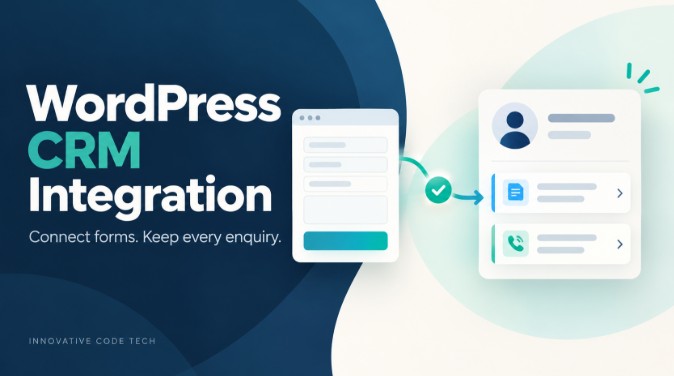
A useful WordPress CRM integration should preserve the enquiry, identify the correct person, record what they asked for, and tell someone when delivery fails. This guide focuses on that form-to-CRM workflow for service businesses, rather than comparing CRM subscriptions.
Product documentation checked on October 7, 2026. The mapping worksheet, test cases and examples are proposed implementation practices, not claims from a client project or hands-on product benchmark. Check your connector's current plan and compatibility before buying.
What is WordPress CRM integration?
WordPress CRM integration connects website activity, such as a quote-form submission, to records in a customer relationship management system. For lead capture, it usually creates or updates a person and records their enquiry. A reliable implementation also defines field mapping, duplicate handling, ownership and recovery when delivery fails. Start with one-way delivery unless a specific workflow needs data sent back.
If you have not chosen a CRM, our CRM comparison for freelancers addresses that earlier decision. Here, the question is how an enquiry reaches the CRM you intend to use.
Choose the connection method around the workflow
First write a sentence your sales team can approve: “When a valid quote request is accepted, update the matching contact, save a separate enquiry, and assign the next action to the correct team.” Decide what counts as an accepted request before choosing software.
| Approach | Good starting fit | Check before committing |
|---|---|---|
| CRM plugin or dedicated form connector | A supported form and a straightforward CRM destination | Exact form support, custom fields, record types, duplicate rules and failure logs |
| Automation platform or managed connector | A workflow involving the CRM and several other applications | How usage is counted, retry behaviour, history retention and ownership of the connection |
| Custom integration | Unusual record relationships, a proprietary CRM or unsupported business rules | API availability, authentication, recovery design, documentation and ongoing maintenance |
For example, HubSpot documents a WordPress plugin that lets you create HubSpot forms from WordPress. That is one supported route, not proof that every existing form or custom object will work automatically. See HubSpot's installation guide.
Outfunnel's WordPress forms documentation describes choosing a form, mapping fields and selecting CRM actions. It also tells users to create destination fields first. That is a useful purchasing test: can your chosen connector populate the actual fields your team uses?
Check feature tiers carefully. The published Integrazo listing for Zoho CRM and Bigin places custom-field mapping and advanced duplicate handling in its Pro features. A free connection test is not proof that the free tier covers your production workflow.
Build a field map before connecting live data
Use the table below as a worksheet. The destination labels are examples, not universal API field names. Confirm the real names and accepted values in your CRM.
| Website value | CRM destination | Rule to agree |
|---|---|---|
| Contact email | Validate it and define matching behaviour; do not silently merge uncertain identities | |
| Name | Name fields | Preserve the entered name; do not assume every name splits cleanly into two parts |
| Phone and country | Phone and country fields | Keep the country code; avoid forcing international numbers into a domestic-only format |
| Requested service | Enquiry category | Map each allowed form option to an accepted CRM value |
| Project description | Enquiry or activity detail | Append a new request instead of overwriting an earlier project description |
| Source page and campaign values | Enquiry attribution | Preserve first-source and latest-enquiry attribution separately where needed |
| Submitted preference choices | Relevant preference fields | Preserve the actual values; do not substitute “yes” for a missing value |
| Submission identifier | Integration reference | Use a stable identifier for this accepted submission and retain it across delivery retries |
For each field, decide what an empty value means. Should it leave existing information untouched, clear it, or cause validation to fail? “Always overwrite” is usually too crude for a returning customer with a carefully maintained CRM record.
Keep routing decisions on the trusted side of the integration. A hidden browser field is still visitor-controlled. Validate allowed service values and derive the destination team from approved rules rather than accepting an arbitrary owner ID from the form.
Separate duplicate contacts from repeated enquiries
A person can request two different projects. Keeping one contact should not erase the second request. Equally, retrying the same failed delivery should not create another enquiry or another follow-up task.
Document two separate keys: the rule used to identify the person and the identifier used to recognize a previously accepted submission. The first supports contact matching. The second supports idempotency: processing the same delivery again without repeating its business effect.
HubSpot documents email-based contact deduplication, but explicitly notes that companies created through its API are not deduplicated by company domain. Do not extend one record type's behaviour to every integration path. See HubSpot's deduplication rules.
Zoho CRM's Upsert API can update a match or create a new record using duplicate-check fields. Its documentation also requires field API names. An upsert operation can help with matching; it does not by itself define what your separate enquiry, task or notification should do on a retry.
A returning prospect example
Imagine a maintenance company receives a request for an annual service contract. A week later, the same person asks for an urgent repair. Your agreed design might keep one contact and create two enquiry records with separate owners or next actions.
Now suppose the urgent-repair delivery times out and is retried. The integration should recognize the same submission reference and avoid creating a third enquiry. If two workers can handle it simultaneously, the developer must enforce that rule with a suitable unique constraint or supported atomic operation; a simple “search, then create” sequence can race.
Shared mailboxes, changed email addresses and existing duplicates need an exception policy. Route uncertain matches for review rather than merging customer histories solely because two names look similar.
Decide what happens when the CRM is unavailable
Before launch, ask where an accepted enquiry is retained if the CRM cannot be reached. The answer might be durable form storage, a connector's retained job or a custom queue. Verify it; do not assume a success message means recoverable data exists.
A sensible proposed delivery design records the submission reference, processing state, attempt time and destination record IDs. It distinguishes “accepted by the website” from “confirmed in the CRM.” Store only the information needed for recovery and restrict access to it.
Classify errors instead of retrying everything. A temporary connection problem may warrant a delayed retry. An invalid field value needs correction. An authentication failure needs someone to restore access. Follow the provider's documented limits and retry instructions for your actual endpoint.
A timeout is an uncertain outcome: the CRM may have saved the record before the response was lost. Reconcile using the submission reference or supported uniqueness mechanism before repeating record creation. Put unresolved work in a review queue and alert a named owner.
For a connector example, WP Fusion's setup guide includes checking the CRM record and activity log after a test. Apply the same principle to your stack: verify the destination, not just the green connection indicator.
Email is a separate delivery path. If the notification also fails, our WordPress contact-form notification troubleshooting guide covers that investigation. Working email does not prove CRM delivery, and a CRM record does not prove email receipt.
Run acceptance tests that expose real mistakes
Use sample identities and an isolated test destination. Check whether CRM workflows send messages, assign real staff or create other records before testing. The following is a proposed acceptance matrix, not a claim that any connector passes it automatically.
| Test | Expected result |
|---|---|
| New person, valid enquiry | Correct contact, enquiry details and assigned next action |
| Existing person, different request | Existing contact preserved; new request remains distinguishable |
| Same delivery submitted twice | No repeated enquiry or follow-up task for that submission reference |
| Optional field left empty | Previously verified data follows the agreed blank-value rule |
| Unexpected category value | Validation or review; no unintended owner assignment |
| Simulated unavailable CRM | Accepted enquiry retained, failure visible, recovery demonstrable |
| Response lost after record creation | Recovery finds the original result instead of blindly creating another |
| International phone and non-English name | Meaningful characters and country context survive the transfer |
After each test, inspect the contact, related enquiry and any task or notification. Record the submission reference and destination IDs. Repeat the affected tests after changing field names, routing rules, credentials or connector versions.
Budget for the completed workflow
Compare first-year cost as setup plus connector or automation fees, any required CRM upgrade, testing, maintenance and exception handling. Ask how the vendor counts operations or tasks; one form submission may require several billable steps, depending on the product.
For a hypothetical example, 300 enquiries requiring three billable steps each would create 900 steps before retries. That is arithmetic for planning, not a quote or a statement about a particular vendor's billing rules.
Custom development makes sense when maintained connectors cannot meet an important requirement. It also creates responsibilities for credential renewal, API changes, monitoring and handover. Ask for the field map, recovery instructions, test results and ownership details as deliverables.
Innovative Code Tech's WordPress plugin development and API integration services are relevant when the missing piece is custom connection logic. If the CRM data model itself needs redesign, discuss that separately through its ERP and CRM development services.
Frequently asked questions
Can I connect WordPress to a CRM without custom code?
Often, yes. Check a maintained connector for your exact form, CRM record type and required fields. Test matching and failed-delivery recovery before deciding that installation alone completes the work.
Do I need two-way CRM synchronization?
Only when the website needs updates from the CRM. For enquiries, one-way delivery is a useful starting scope. Two-way synchronization needs rules for which system owns each field and how conflicting edits are resolved.
Is email enough to prevent duplicate leads?
Email may help match contacts, subject to the CRM's rules. It does not identify whether two deliveries represent the same submission or two legitimate requests. Define contact matching and submission deduplication separately.
Will CRM integration fix contact-form email problems?
No. They are different delivery paths. Verify each independently and make sure your team knows where accepted enquiries can be recovered if one path fails.
Does this workflow require AI?
No. Field mapping, matching and delivery can use explicit rules. Consider AI classification later only if it solves a demonstrated problem and someone can review uncertain results.
Turn the integration into an acceptance standard
Before buying another tool, complete one field map and the test matrix for your most valuable enquiry form. You will have a clearer purchase decision and a specific definition of “working.”
For implementation help, send Innovative Code Tech your form-to-CRM requirements. Include your form plugin, CRM, required record types and duplicate-handling rules. The contact page includes WhatsApp for discussing the scope; use sample data rather than customer records in the initial enquiry.