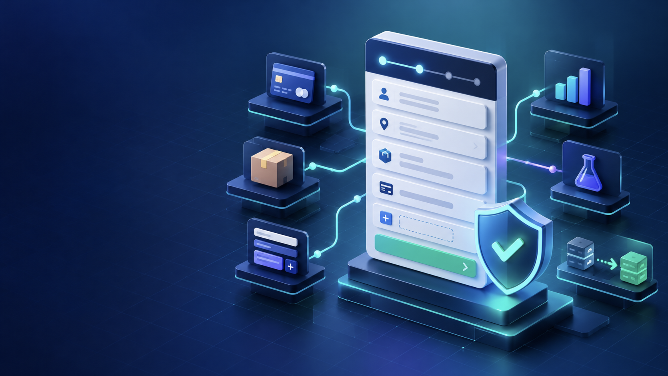
Replacing [woocommerce_checkout] with a Checkout block looks like a page-editor change. On a working store, it is a checkout-system migration. Payment gateways, address rules, custom fields, shipping logic, tax calculation, analytics and order-processing integrations can all behave differently when the storefront moves to the Store API and block extensibility interfaces.
This checklist helps you decide whether a store is ready for WooCommerce Checkout Blocks, build a test plan around revenue-critical behavior and release with a workable rollback. It does not assume that every store should migrate immediately. The right outcome may be to fix one incompatible dependency first.
Documentation and search results were reviewed on October 23, 2026. Test every recommendation against the store's current WooCommerce, extension and payment-provider versions. Examples below are acceptance-test patterns, not claims about a specific client store.
Why this is more than a visual redesign
WooCommerce made Cart and Checkout blocks the default experience for new stores in version 8.3. Existing stores can still carry classic-checkout customizations built around PHP hooks, template overrides and jQuery events. Some of those patterns do not map directly to the block checkout.
The block flow keeps important client-side state in WooCommerce data stores and submits checkout through the Store API. Official documentation describes the server as the source of truth for transactional and persistent data. A custom feature that only changes markup in the browser may therefore look correct while failing to save, validate or affect the server-calculated total.
The practical question is not “Does the new page load?” It is “Can every supported customer complete the intended order, and can staff fulfil, refund and report on it afterwards?”
Step 1: inventory everything that touches checkout
Start with a written dependency map before editing the checkout page. Record the owner, current version, business purpose and evidence of block compatibility for each item.
| Area | What to record | Evidence to collect |
|---|---|---|
| Payments | Card, wallet, bank transfer, BNPL, COD and express methods | Vendor documentation, supported block version, successful sandbox order and webhook result |
| Shipping | Zones, live rates, pickup, delivery dates, address validation and restrictions | Expected methods and prices for representative addresses and carts |
| Fields | VAT/GST IDs, PO numbers, delivery notes, consent and conditional questions | Where each value renders, validates, saves and appears for staff |
| Pricing | Coupons, fees, subscriptions, deposits, tax exemptions and currency conversion | Server-calculated totals before payment and in the created order |
| Marketing | Analytics, advertising pixels, consent mode, affiliate tracking and email capture | Events, payload fields, consent state and deduplication behavior |
| Operations | Fraud checks, ERP/CRM sync, fulfilment, invoices and notifications | Downstream record IDs, logs, retries and staff workflow |
Do not treat an active plugin as proof that it participates in checkout. Inspect snippets, mu-plugins, child-theme functions, tag-manager containers and external automation too. Search the codebase for classic checkout hooks, DOM selectors and scripts enqueued only on is_checkout().
Step 2: classify each customization by its correct extension path
Migration gets easier when each requirement is assigned to a supported interface instead of being forced into its old implementation.
- Merchant-editable presentation: use block settings, inner blocks and theme styles where possible.
- Additional order or contact data: use WooCommerce's Additional Checkout Fields API. The official guide registers fields through
woocommerce_register_additional_checkout_field()afterwoocommerce_init. - Conditional additional fields: use the documented conditional-visibility path; WooCommerce notes a minimum version of 9.9.0 for that feature.
- Payment methods: register the client-side method with the blocks registry and provide the server-side integration described in the payment-method documentation.
- Cart or checkout data: extend or interact with the Store API when data affects server decisions. Never trust a visual-only total.
- Placement around checkout regions: check the official hook-alternatives table. Several classic actions have no direct block equivalent.
For example, a VAT number is not merely an input box. Decide whether it belongs to the contact, address or order location; define validation; confirm how it is stored; and make it visible in the order-management workflow. A JavaScript field inserted next to the address is incomplete if the value never reaches the order.
Step 3: use a compatibility gate, not a plugin-count guess
Assign every dependency one of four states: verified, documented but untested, unknown or incompatible. “No error seen” is not a verified state.
- Check the extension vendor's current documentation and changelog for Checkout block support.
- Confirm the installed version contains that support and its dependencies meet the documented minimums.
- Open the Checkout block's Payment Options area. WooCommerce can identify active integrations it considers incompatible, but this is a signal, not a complete end-to-end test.
- Run a successful sandbox or test-mode transaction for each payment family.
- Verify failure, cancellation, timeout and return-from-provider paths.
- Match the payment-provider result to the WooCommerce order, stock change, email and downstream webhook.
A payment method may still use the Payment Gateway API for server-side processing while adding a separate block integration for registration and storefront behavior. That is why seeing a gateway in the editor does not prove the complete transaction is safe.
Step 4: build the block checkout in an isolated staging environment
Use a recent staging copy, but prevent it from contacting real customers or fulfilment systems. Disable live emails, production webhooks and shipment creation; use payment sandbox credentials; and mark test orders clearly. The detailed safeguards in ICT's WordPress staging checklist for WooCommerce apply before testing starts.
Keep the live classic checkout unchanged while you configure the block version. Record the original page content, checkout-page assignment and relevant settings. Take a database backup and verify how it will be restored. A backup without a tested restore owner and target is not a rollback plan.
Step 5: test business rules as combinations
One successful guest order is not adequate coverage. Build a small matrix from dimensions that can change the result:
- guest, returning customer and account creation;
- physical, virtual, downloadable, subscription and mixed carts used by the store;
- domestic, international, remote-area and tax-exempt addresses;
- each payment method, express-payment path and cash-on-delivery condition;
- coupon, free-shipping threshold, fee, local pickup and out-of-stock edge cases;
- desktop and narrow mobile layouts, keyboard navigation and error recovery.
For stores with complex shipping, pair this matrix with ICT's WooCommerce shipping-method troubleshooting guide. The Checkout block documentation notes that local pickup configured for blocks is separate from zone-based local pickup, so test the exact configuration the store uses.
| Checkpoint | Pass condition |
|---|---|
| Before payment | Expected fields, shipping methods, taxes, discounts and final total appear for the chosen cart and address. |
| Payment | The correct method is available, authentication completes, and failure messages allow a safe retry. |
| Order | Exactly one order has the intended status, items, totals, customer data and custom-field values. |
| Operations | Stock, emails, invoices, webhooks and integrations run once with the correct identifiers. |
| Measurement | Consent and purchase events contain approved fields and are not duplicated. |
Step 6: diagnose failures at the right layer
When a test fails, preserve the cart, address, account state, payment method, timestamp and order ID. Then locate the boundary where expected data disappears.
- Editor only: check block configuration, locked inner blocks and theme styles.
- Browser state: inspect console errors and relevant WooCommerce data-store state.
- Network: inspect Store API requests and responses, HTTP status and validation messages. WooCommerce documents a 409 response when the submitted total no longer matches the server calculation.
- Server: inspect WooCommerce logs, PHP errors and gateway logs using the same timestamp and order.
- External system: verify provider transaction, webhook delivery and downstream processing independently.
Avoid solving a 409 total mismatch by suppressing the error. It exists to stop payment against stale cart totals. Find the extension, race condition or pricing rule that changed the server's answer.
Step 7: release with monitoring and a reversible change
Choose a low-risk release window with a named decision-maker. Freeze unrelated checkout changes, repeat the highest-value tests on production with approved low-value orders if policy permits, and monitor checkout errors, gateway results and order-status anomalies.
Define rollback triggers before launch: a missing primary gateway, materially incorrect totals, repeatable order duplication, failed order creation after captured payment, or loss of required compliance data. Rollback should restore the previous checkout-page assignment and code/configuration together. Reverting only the page while leaving a changed extension or snippet can preserve the failure.
If the audit uncovers a classic hook, gateway or custom-field workflow without a supported migration path, ICT's WordPress plugin development service can help design a block-compatible WooCommerce extension. Share the dependency inventory and failed test evidence first; it makes the development scope much more precise.
A practical go/no-go rule
Proceed only when every revenue-critical dependency is verified, required custom data survives the complete order lifecycle, representative totals match the server result, operations receive the right events and rollback has been rehearsed. A non-critical analytics enhancement can be scheduled after launch; an unverified payment or tax rule should block it.
The strongest migration evidence is a reproducible matrix of test orders and results, not a screenshot of a clean checkout page.
Frequently asked questions
Are WooCommerce Checkout Blocks the default for new stores?
Yes. WooCommerce announced Cart and Checkout blocks as the default experience for new stores starting with WooCommerce 8.3. Existing stores may still use classic shortcode checkout and should audit dependencies before switching.
Do classic WooCommerce checkout hooks work with Checkout Blocks?
Some server-side behavior may still apply, but many presentation hooks do not have direct equivalents. Use WooCommerce's hook-alternatives documentation and supported block extensibility interfaces rather than assuming a familiar hook will fire in the same place.
How do I add custom fields to the Checkout block?
Use WooCommerce's Additional Checkout Fields API, define the field location and validation, then test storage and display through the order lifecycle. Do not rely on injecting an HTML input that never reaches the Store API or order.
How can I tell whether a payment gateway supports Checkout Blocks?
Check the vendor's current compatibility documentation and installed version, review the editor's compatibility signal, and run complete sandbox transactions. Verify successful, failed and cancelled paths plus order status, stock, notifications and webhooks.
Should I test Checkout Blocks on a live store?
Build and test on an isolated staging environment first. Use production only for a controlled final verification with approved methods, monitoring and a documented rollback. Never let staging send real customer messages or production fulfilment events.
Next step
Download the accompanying acceptance checklist, list every checkout dependency and mark each one verified, unknown or incompatible. The first unknown revenue-critical item—not the page design—is the next problem to solve.