A plugin update looks fine on your test website. You push the copy live, then discover that orders placed that morning have disappeared. The problem was not the update. It was treating an older database as if it contained the latest business activity.
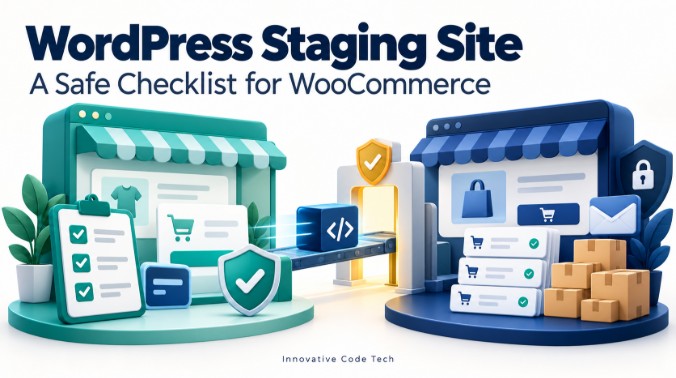
A WordPress staging site is a separate copy used to test changes before applying them to your public website. For a WooCommerce store, a useful staging process must also isolate payments, notifications and integrations, then protect new orders when changes go live.
This guide gives store owners and developers a practical testing and release checklist. Documentation was checked on October 6, 2026. The worksheets and Chennai store example are suggested exercises, not results from a customer project.
What should a safe staging workflow include?
- Create a separate copy from a current backup.
- Restrict access and isolate external connections before testing.
- Run the customer and staff tasks affected by your change.
- Decide exactly which files, settings or content must reach production.
- Back up production, deploy the tested changes and verify live behaviour.
Do not push an old staging database over a store that has continued taking orders. WordPress.com explicitly warns that database synchronization can overwrite orders and customer information created after the copy was made. Other hosts have their own sync rules; read the actual deployment options before using them. See WordPress.com's staging synchronization documentation.
Choose how to create your WordPress staging site
Start with the staging feature in your hosting dashboard, if your plan includes one. Otherwise, compare a staging plugin with a developer-managed installation. Jetpack's staging guide describes hosting, plugin, local and manual approaches.
| Method | Useful when | Ask before starting |
|---|---|---|
| Host-provided staging | You want your host to manage the copy | Does deployment copy files, the database, or both? |
| Staging plugin | Your host has no suitable built-in option | What do cloning, storage and deployment require on your plan? |
| Separate developer-managed site | You need control over the server or integrations | Who owns backups, access restrictions and the deployment procedure? |
| Local development | You are developing code on your computer | Which server and external-service behaviours still need online testing? |
Ask for a demonstration of the deployment screen before committing. A tool that creates a copy easily may still require careful manual work to release a checkout redesign.
A practical setup sequence
- List the change you want to test, such as one checkout extension update.
- Save a current backup and confirm how it would be restored.
- Create the staging copy using your chosen tool's documented process.
- Verify that its address, files and database are separate from production. Ask the host if the separation is unclear.
- Record the PHP, WordPress, WooCommerce, theme and relevant plugin versions on both sites.
- Apply the isolation checklist below before submitting forms or placing test orders.
For WordPress.com specifically, its documented workflow starts in the Hosting Dashboard: select your site, open the Production dropdown and choose the staging option. That interface is specific to WordPress.com, not every self-hosted installation. Its official staging guide also explains what the clone contains, including configuration and database data.
Isolate the copy before it can contact customers
Treat the clone as a working application. A different address does not prove that every connected service has switched into test mode. Review each connection with the person who manages it.
Keep staging private and out of search
Use host-level password protection or another access restriction for private staging content. Check the restriction in a logged-out browser. A noindex instruction controls search visibility; it does not prevent someone with the URL from opening the page. Google explains the distinction in its content access and indexing guidance.
Do not rely on robots.txt alone to keep a page out of search results. Google documents that distinction in its developer SEO guide. If you use noindex on publicly reachable test pages, ensure your configuration allows crawlers to read it.
Check payments, email and every outbound integration
- Payments: use the gateway's test configuration and test credentials. Check the account and mode before each payment exercise.
- Email: capture messages in a test mailbox or mail-catching service. Confirm where administrator and customer notifications go.
- SMS and WhatsApp: disable customer-facing automations or connect a supported test destination.
- Shipping and accounting: prevent test orders from creating real shipments, invoices or stock movements in connected systems.
- CRM: keep sample leads out of the production sales queue.
For Razorpay, check both the plugin credentials and the webhook destination. Its WooCommerce integration documentation explains the webhook configuration and the use of Live mode credentials for production. A restricted staging site may also block a payment provider's callback. Ask your developer to make only the required test endpoint reachable with the integration's signature checks intact; do not remove protection from the whole copy.
If you use WooCommerce Subscriptions, inspect its staging-mode status separately. Its safeguards depend on site detection, and blocking subscription emails does not block every email another plugin can send. See how Subscriptions handles staging sites.
Use synthetic customer records wherever possible. Give test orders an obvious reference such as STAGE-CHECK-01. Keep a short record of every staging-only setting so you can compare environments before release.
Test outcomes, not just whether the page loads
WooCommerce's update documentation recommends checking the store workflow on staging before applying the tested updates to production. Turn that into an acceptance sheet that someone other than the developer can understand.
| Test | Evidence to record | Stop the release if |
|---|---|---|
| Guest purchase | Sample order reference, total and chosen delivery option | The customer cannot complete the expected checkout |
| Failed payment | Gateway test result and resulting order state | A failed attempt is presented as a paid order |
| Account access | Test user can see only their own sample order | Private order details appear under another account |
| Stock behaviour | Before-and-after quantity for the sample product | The result differs from your configured workflow |
| Notifications | Captured customer and staff messages | A real customer receives a test notification |
| Mobile checkout | Device/browser, visible fields and completed task | A required control cannot be used |
| Connected systems | Test records or confirmation that sending is blocked | The test creates an unintended production action |
Write expected results before running the tests. Mark each row pass, fail or not applicable, with the tester and timestamp. A screenshot of a working homepage is not evidence that checkout, email or inventory works.
Include your enquiry form if the update affects forms or mail. For a failure where the mailer's test succeeds, use our WordPress contact form notification troubleshooting guide. If a test payment succeeds but its order does not update, follow our Razorpay and WooCommerce order-status investigation.
Decide what moves from staging to live
Write a release note with three lists: changed files, changed settings or content, and production activity that must be preserved. Have the person deploying explain how each list will be handled.
- Plugin or theme update: record the exact tested versions and apply the same update set through the supported production process.
- Custom code: deploy the reviewed file changes and any explicitly required migration steps.
- Page or layout changes: check where the editor stores them. Copying theme files alone may not transfer database-backed design settings.
- Whole-site replacement: require a separate plan for current orders, users, stock and other new records before replacing anything.
There is no universal list of database tables you can exclude to make every WooCommerce deployment safe. The correct scope depends on your storage configuration, extensions and change. Ask for a store-specific plan instead of improvising table selections.
Worked example: a Chennai retailer changes checkout
Suppose a fictional retailer copies its store on Monday and tests a checkout-field change. By Wednesday, production has received 18 new orders and staff have corrected several stock quantities. The Monday copy does not contain those later changes.
The release task is to move the checkout change while preserving Wednesday's business records. The developer identifies its code and settings, rehearses their deployment on a refreshed, isolated copy, and records the results. If the change needs a database migration, that migration is included explicitly. The old database is not treated as the release package.
This example is a planning exercise. It does not establish how your particular page builder, plugin or host stores and deploys changes.
Use a short release and recovery checklist
- Name an owner: identify who deploys, who checks orders and who can authorize recovery.
- Choose the window: decide whether checkout or other writes must pause. Include scheduled jobs and external integrations in that decision.
- Take a fresh production backup: record its time and the recovery procedure.
- Apply the reviewed change: follow the procedure rehearsed on staging.
- Check production settings: verify the live domain, intended payment mode, notifications, access and indexing configuration.
- Verify the live workflow: use an owner-approved test appropriate to the business; a staging payment simulation does not verify live credentials.
- Monitor and close: review new orders, errors and notifications, then record the release outcome.
Agree on recovery triggers in advance: checkout failures, incorrect totals or unintended notifications, for example. If recovery requires restoring an older database, first account for activity since that backup. Otherwise, the recovery itself can discard new business records.
Keep staging available for investigation with its access and outbound restrictions in place. Refresh it deliberately for the next change; document any test work that a refresh would overwrite.
Frequently asked questions
Is a WordPress staging site the same as a backup?
No. Staging is a working environment for trying changes. A backup is a saved recovery point. Keep a separate backup even when staging works correctly.
Can I create a staging site for free?
Some tools offer free cloning, and some hosting plans include staging. Check storage, deployment features and support before choosing. A free copy still needs a safe release process.
Can staging send real emails or payments?
It can if its connections remain live. Verify payment mode, notification routing and connected services. A staging label alone is insufficient evidence of isolation.
Should I push the entire staging database to a live store?
Not as a routine shortcut while the store keeps receiving new data. Identify the changes you need to release and preserve current business records. A full replacement needs a planned reconciliation process.
Why does a change work on staging but fail live?
Compare the environments: software versions, configuration, caching, access rules and service credentials. Record the specific failed task and error instead of assuming the code behaves identically everywhere.
Start with one change and a written test
Choose your next update, write the customer task it could affect and define what a successful test must show. Then decide how that exact change will reach production. That small discipline makes staging useful.
Need help testing a checkout change or a custom integration? Explore our WordPress plugin development services in Chennai, or send your staging and deployment requirements. Include the affected workflow, relevant plugin names and the change you want to release.